

Ecommerce fulfillment automation uses connected software to move order information through inventory, warehouse, and shipping systems with fewer manual handoffs. For a growing brand, the best starting point is repeatable order processing and clear exception handling, followed by physical automation where a measured warehouse bottleneck justifies the investment.
A store can import orders automatically and still need someone to fix stock reservations, chase missing tracking, or discover that a label was printed twice. The useful test is whether an order reaches the next step correctly, with a clear way to recover when it doesn’t.
Ecommerce Fulfillment Automation Priorities
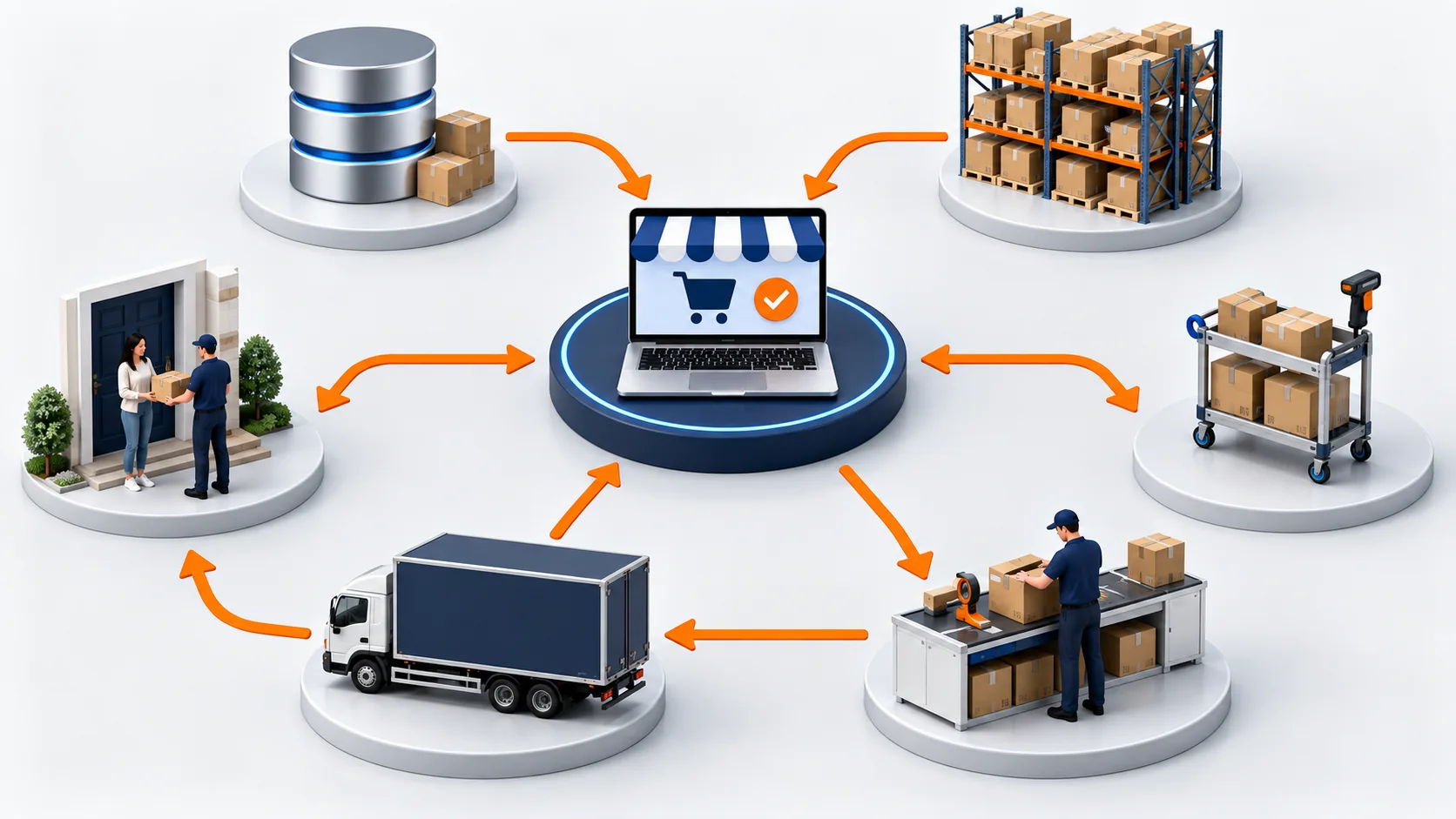
Start ecommerce fulfillment automation with the handoffs that delay paid orders: capture each sale once, reserve sellable stock, hold exceptions, select a shipping location, and return shipment updates. Assign an owner to failed steps. Evaluate warehouse hardware after the connected workflow works and a physical bottleneck still limits output.
Before choosing another app, map the systems you already use. Decide which one owns order status and which one owns available inventory. Our article on building an ecommerce order fulfillment system covers that broader setup; the operating rules below make its handoffs testable.
| Workflow | Release Condition | Proof It Worked |
|---|---|---|
| Order capture | A new, valid order identifier | One accepted warehouse order |
| Stock reservation | Sellable units are available | The allocation appears in the inventory record |
| Order review | Payment, address, and risk checks pass | A recorded release or a named hold owner |
| Warehouse routing | The location can meet the delivery promise | An accepted fulfillment assignment |
| Carrier and label selection | The parcel meets service restrictions | One usable label tied to the shipment |
| Tracking updates | A shipment event is confirmed | The correct customer-facing shipment record |
| Exception recovery | The failure cause is resolved | A successful retry or an escalated task |
1. Capture Orders Without Duplicates
Send orders from each sales channel into a consistent record. Keep the store identifier and the platform’s stable order ID, along with the items, quantities, delivery address, payment state, and requested service. A customer-facing order number alone may be insufficient when you operate several stores.
Repeat delivery of an event must find the existing order rather than create another warehouse job. Shopify’s webhook documentation covers duplicate handling and reconciliation because event delivery alone cannot guarantee that every record stays synchronized. Check the latest order state before acting on an older message.
Ask your integration provider to demonstrate a replay: submit the same event again and show the original warehouse order ID. Also reconcile storefront orders against accepted warehouse orders. An acknowledgement from the connector proves receipt, while warehouse acceptance proves the next handoff.
2. Reserve Sellable Inventory
Reserve stock when your release policy says an order is eligible. Base that decision on units that can actually ship, after accounting for quality holds and existing order commitments. Goods still in transit or waiting for receiving should not silently become available stock.
Use one authoritative reservation process. If the store and warehouse independently allocate the same last unit, both systems can appear correct until a picker finds an empty bin. Returns also need an inspection decision before their units become sellable again.
For bundles, reserve the required components as a group. If one component is missing, send the order to an exception queue instead of allocating an incomplete kit. Check those reservation rules during your inventory system evaluation, using a real bundle from your catalog.
3. Hold Orders for Review
A newly created order is not automatically ready for the warehouse. Define the payment state you require, check delivery details, and apply your risk policy before releasing work. A payment authorization and a captured payment represent different states, so your rule must follow the payment method and capture arrangement you use.
Address validation should identify questionable records rather than silently remove meaningful details. A missing apartment number needs a correction; an unusual but valid street name may need human review. Record who can resolve each hold and how the corrected information reaches the warehouse.
Keep held orders visible with a reason and a next action. If a risk check clears, release the existing order through the normal reservation and routing process. If the customer cancels, stop fulfillment and release the appropriate stock commitment before another automated job acts on stale data.
4. Route Orders by Delivery Promise
Choose a warehouse using available stock, processing capacity, carrier pickup times, and the customer’s delivery commitment. The nearest building can be the wrong choice if it lacks an item or has already missed its dispatch cutoff.
Set the rules for splitting an order before that situation arises. Shipping everything together may cost less, while a partial shipment may protect an urgent delivery. Compare the additional parcel and handling costs with the promise you made to the buyer, then define when a person must approve a split.
Keep time zones in the routing decision. Record the cutoff for each warehouse and carrier combination, including how weekends or local closures affect it. If the preferred warehouse rejects an assignment, reroute the unfulfilled work only after confirming its existing stock reservation and fulfillment state.
5. Select Carriers and Create Labels
Compare eligible shipping services after the packed weight and dimensions are known. The cheapest displayed rate is useful only when the service accepts the parcel and can meet the required delivery window. Product restrictions and destination coverage must be part of the selection rule.
Link each purchased label to its shipment record. Repeated requests or a connection timeout should trigger a lookup before another label is bought. A missing response can leave the purchase outcome unknown even when the carrier system completed it.
Let packers correct measurements without losing the audit trail. If the correction changes the service or label, make the replacement process explicit and identify any unused label that needs a void request. Test that process with the shipping account you actually use rather than assuming every carrier handles adjustments the same way.
6. Return Tracking to Your Store
Write the tracking number and carrier back to the correct shipment in the commerce platform. Keep separate parcels separate, so the buyer can see which items are still waiting. Printing a label, handing a parcel to a carrier, and delivery are different events.
Check what triggers the customer’s message. Your confirmation should describe the event that has actually occurred, and a replacement tracking number should update the existing shipment where appropriate. Shopify’s enterprise order management documentation explains why an external system must write fulfillment information back for customer-facing status to stay current.
Monitor shipments without a first carrier scan and updates that fail to reach the store. Put those orders in a follow-up queue with an owner. Repeatedly sending the same reassuring email does little for a parcel whose physical handoff never happened.
7. Assign and Retry Fulfillment Exceptions
Give each failed workflow a case that an operator can act on. Include the order ID, failed step, last confirmed state, error time, and next responsible person. Attach the relevant system response without exposing unnecessary customer information in general team alerts.
Classify the failure before retrying. A temporary connection problem can follow a controlled retry rule. An invalid SKU needs a data correction, and a disputed address needs a decision. An unknown label-purchase result needs reconciliation before another paid request.
| Exception | Next Action | Release Evidence |
|---|---|---|
| SKU is unmapped | Operations confirms the product mapping | The intended warehouse SKU is recorded |
| Stock reservation fails | Inventory owner resolves availability | A valid allocation or an agreed alternative |
| Label request times out | Shipping owner checks the transaction | The existing label or a confirmed failed purchase |
| Tracking update fails | Integration owner repairs the handoff | The correct shipment is visible in the store |
Escalate cases by age and the delivery promise at risk. Someone must also confirm that a retry finished successfully. An alert that disappears when a job restarts can hide the same stuck order for another day.
Test Ecommerce Fulfillment Automation
Pilot your ecommerce fulfillment automation on a limited order group before expanding it across the business. Include a repeated event, an unpaid order, a missing bundle component, an address correction, and a shipment with an uncertain label response. Check each system’s record after every test rather than looking only at the final dashboard.
Measure the work you remove. For a labor estimate, multiply eligible monthly orders by the minutes saved per order, divide by 60, and multiply by your loaded hourly labor cost. Compare that value with software fees, integration maintenance, and the time your team still spends resolving exceptions.
Track order-to-release time, manual interventions, incorrect shipments, and unresolved cases alongside the cost calculation. Agree on the conditions that pause automatic release and return orders to a supervised queue. Faster processing has little value if the warehouse receives incorrect instructions sooner.
Automation can coexist with hands-on quality checks. At FlexFulfills, our ecommerce fulfillment service includes manual product inspection, so the process discussion should separate automatic data movement from physical checks. Bring your order flow and recurring exceptions to that discussion, then ask us to map the handoffs and acceptance tests for your setup.
FAQ
What Should I Automate First?
Start with the manual handoff causing repeated delays or errors, usually order capture, inventory reservation, or shipment updates. Confirm the input data and exception owner before extending the same rule to more orders or sales channels.
Do I Need Warehouse Robots?
Many brands can remove substantial administrative work through software connections and better release rules before investing in robots. Evaluate physical equipment when measured picking, movement, or packing constraints remain after the digital workflow is reliable.
Can a 3PL Handle Automation?
A 3PL can operate connected order and warehouse workflows, but you need to verify its integrations and recovery procedures against your store. Ask for a test showing order acceptance, stock allocation, tracking return, and what happens when one of those steps fails.
How Do I Measure Automation Results?
Compare processing time, manual interventions, fulfillment errors, and total operating cost against a baseline from the same order mix. Keep an eye on unresolved exceptions too, because an apparently fast workflow can still leave difficult orders outside the measured path.